Free · For Obsidian · English + German

Your Second Brain in 10 Minutes.

A working note-taking system in the time it takes to drink a coffee. Three folders, three rules, six templates (EN+DE) — afterwards you have a place for everything that crosses your mind.

Note: the mini vault now includes templates in English and German (v0.2) — pick whichever works for you. The full version ships with guides in both languages.

Obsidian — Second Brain Starter
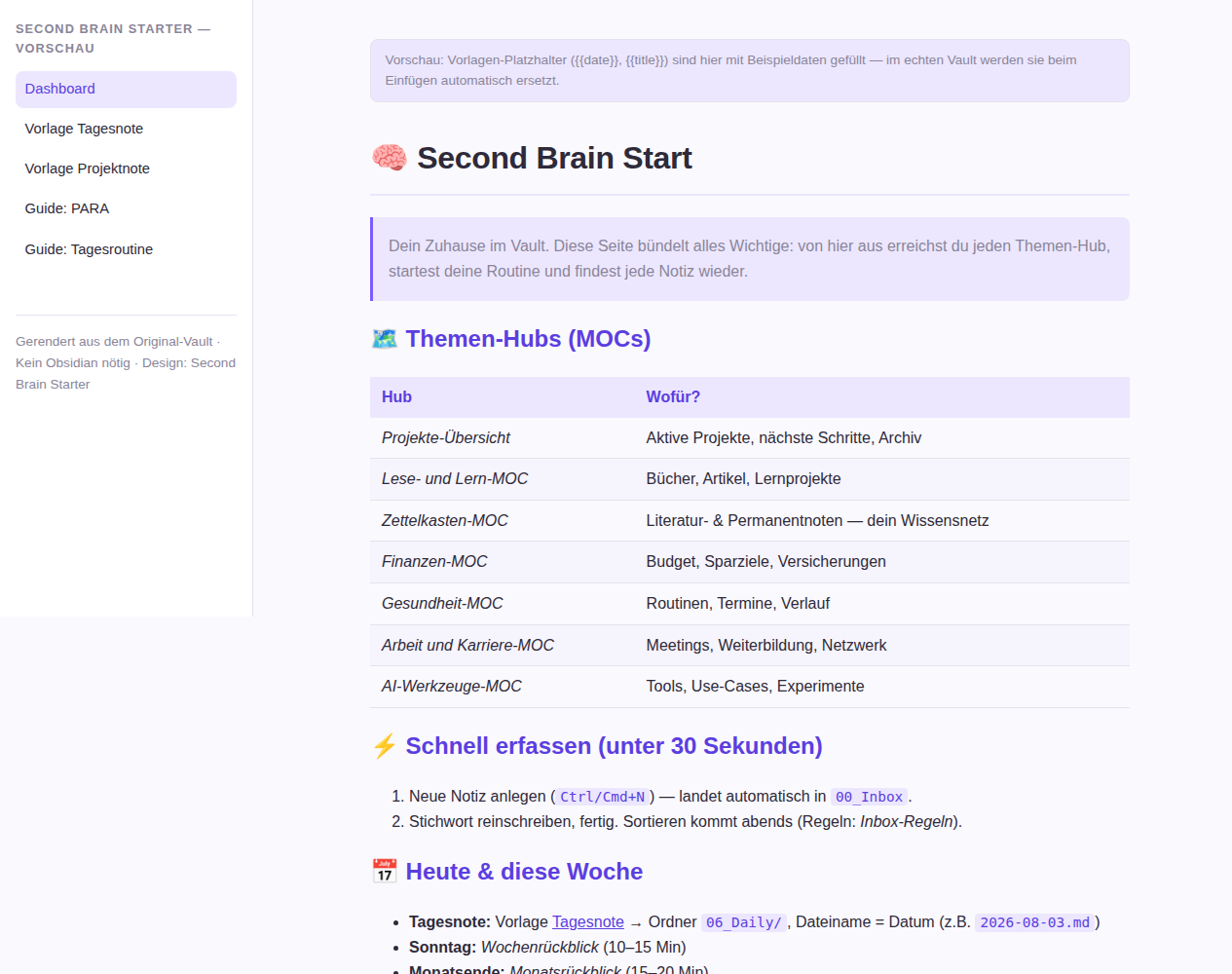
Preview of the Second Brain vault dashboard in Obsidian / Vorschau: Dashboard des Second Brain Vaults in Obsidian

What you get

No empty promise: the Mini-Vault is a fully set-up Obsidian folder. Unzip, open, start.

1

3 folders that make sense

No folder chaos. Just what you really need:

  • 00_Inbox — everything lands here, empty it each evening
  • 06_Daily — daily notes & journal
  • 07_Templates — 3 ready-made templates
2

Templates with real structure — EN + DE

No placeholder junk — notes you can use right away:

  • Daily note — goals, focus, review
  • Project note — goal, success criterion, next step
  • Permanent note — one thought, captured cleanly
  • German versions too — Tagesnote, Projektnote, Permanentnote
3

3 rules + the 17-minute routine

The real trick is in the system, not in the app:

  • Capture, don’t sort — inbox first
  • One note, one idea
  • Always link — a collection becomes a network

How it works

Three steps, ten minutes. After that the system is yours — usable from tomorrow morning.

Install Obsidian

Free from obsidian.md — for Windows, macOS, Linux, iOS and Android.

Open the Mini-Vault

Unzip, then choose “Open folder as vault” in Obsidian. Settings and design are pre-configured.

Create two notes

Copy the daily note and project note from the templates. Done — start the 17-minute routine tomorrow (7 minutes in the morning, 10 in the evening).

Live preview / Live-Vorschau

This is what the vault looks like in Obsidian — rendered here as an interactive preview (light & dark follow your system setting).

The preview shows the full version (Second Brain Starter) with dashboard, templates and method guides. Open the demo in a new tab →

The full version: Second Brain Starter

The Mini-Vault is the entry point. Want more? Get the complete system — available soon.

  • 8 topic hubs + start dashboard — projects, finances, health, learning & more from one page
  • 14 templates — meeting, goal, habit, book, decision, monthly review & more
  • 6 method guides (EN + DE) — PARA, Zettelkasten, daily routine without jargon
  • Complete design — light & dark, print view, card layout
Coming soon — join the waitlist

Waitlist

Be the first to know when the Second Brain Starter launches — one email, no newsletter spam.

Your email is used exclusively for the waitlist notification — no sharing, no spam. Signing up opens your email program with a pre-filled message; just hit send.

Frequently asked questions

Is this really free?

Yes. The Mini-Vault is a free entry point — no subscription, no hidden costs, no account required. License: personal, non-commercial use (included in the ZIP).

Do I need prior knowledge or a paid app?

No. Obsidian is free. Install it, open the vault and read the three rules — the guides are written without jargon.

What is the difference to the full version?

The Mini-Vault contains 3 folders, 3 rules and 6 templates (3 English + 3 German). The full version (Second Brain Starter) adds 8 topic hubs, 14 templates, 6 method guides and the complete design. It launches soon — the waitlist will let you know first.

What happens to my email address?

It is used only for the one-time notification when the full version launches. No spam, no sharing with third parties.